Forum
Important - Hands Up!
- Please ask using the account with which you made the purchase or download of our products and in its respective category.
* ADD PRODUCT NAME IN START OF SUBJET
LawStudio - Display menu module as always expanded
- D
- dabri New Member
- Topic Author 2 weeks 4 days ago #1
Hi everyone,
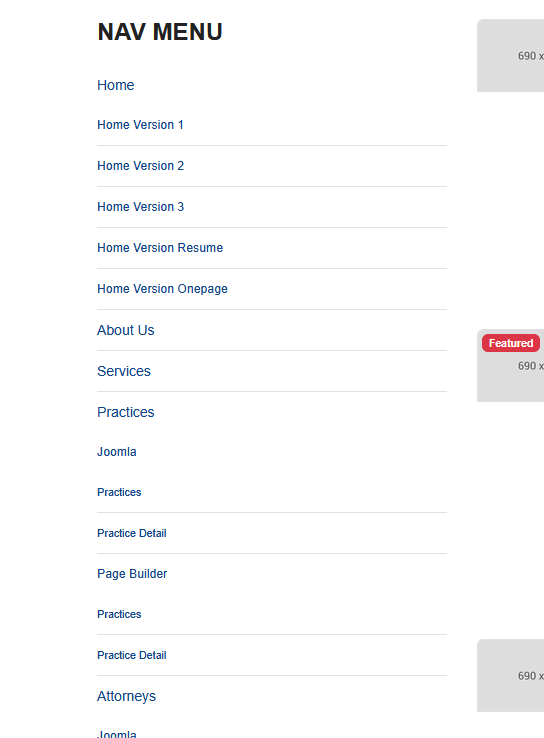
I am using the LawStudio template with Joomla 6 and would like to disable a specific function in the "Navigation-Menu" module.
I use these menus in the right sidebar. When the page loads, the submenu items are expanded and visible.
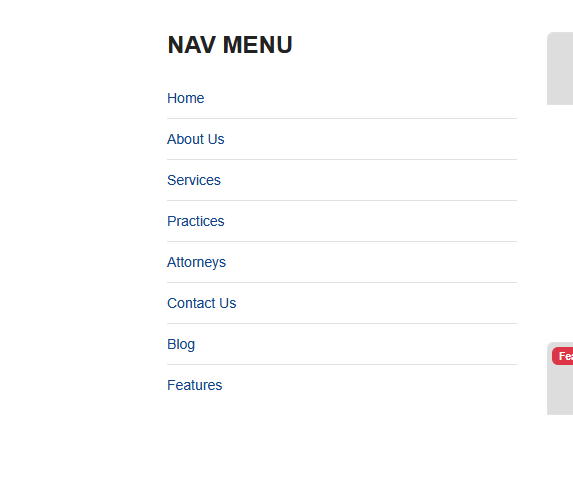
However, if I click anywhere on the page, the submenu items collapse.
Is there a setting somewhere to prevent this collapsing behavior? I want the menu module to always appear expanded.
I have attached some images showing the menu in both its expanded and collapsed states.
Many thanks and best regards,
Daniel
I am using the LawStudio template with Joomla 6 and would like to disable a specific function in the "Navigation-Menu" module.
I use these menus in the right sidebar. When the page loads, the submenu items are expanded and visible.
However, if I click anywhere on the page, the submenu items collapse.
Is there a setting somewhere to prevent this collapsing behavior? I want the menu module to always appear expanded.
I have attached some images showing the menu in both its expanded and collapsed states.
Many thanks and best regards,
Daniel
Please Log in or Create an account to join the conversation.
- L
- leoalv Moderator
- 2 weeks 4 days ago #2
Hello.
Could you share the link so I can see which module you are using? That way, I can analyze the selectors to see if there is a way to keep it permanently expanded and determine whether CSS alone, CSS and JS, or PHP is required.
Regards
Could you share the link so I can see which module you are using? That way, I can analyze the selectors to see if there is a way to keep it permanently expanded and determine whether CSS alone, CSS and JS, or PHP is required.
Regards
Please Log in or Create an account to join the conversation.
- D
- dabri New Member
- Topic Author 2 weeks 4 days ago #3
This message contains confidential information
Please Log in or Create an account to join the conversation.
- L
- leoalv Moderator
- 2 weeks 1 day ago #4
Add following CSS to templates/ut_lawstudio/css/custom.css if file not exists you can create it.
Regards
Code:
#sp-left .mod-menu .mod-menu__sub.menu-child{display:block !important;}
Please Log in or Create an account to join the conversation.
- D
- dabri New Member
- Topic Author 2 weeks 1 day ago #5
Thanks, works perfect
Please Log in or Create an account to join the conversation.
Secure Payment
Use your cards with Paypal.