
Forum
Important - Hands Up!
- Please ask using the account with which you made the purchase or download of our products and in its respective category.
* ADD PRODUCT NAME IN START OF SUBJET
Camera - Menu size issue
- G
- gianpaolo64 New Member
- Topic Author 5 months 4 weeks ago #1
Hello,
in this web site:
Expired page link
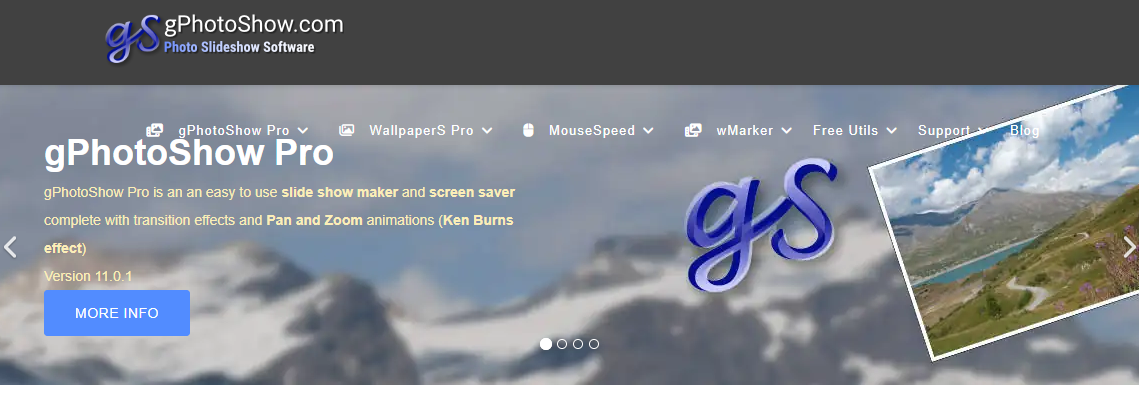
I am using your camera template, it worked fine but I added more items in the menu at the top of the page
When page width is resized there is a range in which the menu is displayed over the banner below it, then making smaller it correctly turns to a single button.
I would like to change the point where it changes from full menu to a single button. I guess there is a width somewhere, but I don't know where.
Can you help me or suggest something else for that menu ?
Thanks,
Gianpaolo
in this web site:
Expired page link
I am using your camera template, it worked fine but I added more items in the menu at the top of the page
When page width is resized there is a range in which the menu is displayed over the banner below it, then making smaller it correctly turns to a single button.
I would like to change the point where it changes from full menu to a single button. I guess there is a width somewhere, but I don't know where.
Can you help me or suggest something else for that menu ?
Thanks,
Gianpaolo
Attachments:
Please Log in or Create an account to join the conversation.
- L
- leoalv Moderator
- 5 months 4 weeks ago #2
Hello.
We've reviewed your site and the menus are overflowing in tablet portrait mode. This is fine on laptops (1200px and up), but to fix it for tablets with a maximum portrait width of 1199.98px, you need to add the following CSS to templates/ut_camera/css/custom.css:
Regards
We've reviewed your site and the menus are overflowing in tablet portrait mode. This is fine on laptops (1200px and up), but to fix it for tablets with a maximum portrait width of 1199.98px, you need to add the following CSS to templates/ut_camera/css/custom.css:
Code:
@media (max-width:1199.98px){
#sp-header .sp-megamenu-parent {
display: none !important;
}
#sp-header a#offcanvas-toggler {
display: flex !important;
}
}
Please Log in or Create an account to join the conversation.
- G
- gianpaolo64 New Member
- Topic Author 5 months 4 weeks ago #3
It works perfectly, thank you very much for the timely support as always
Please Log in or Create an account to join the conversation.
Secure Payment
Use your cards with Paypal.