
Forum
Important - Hands Up!
- Please ask using the account with which you made the purchase or download of our products and in its respective category.
* ADD PRODUCT NAME IN START OF SUBJET
GOODNEWS - Category-Page alignment is lost when a new menu item is added manualy
- Q
- QliQ New Member
- Topic Author 9 months 6 days ago #1
Hello,
Although the template offers a lot of options and functionalities, it gets a bit complicated and overwhelming so I need your support with the following:
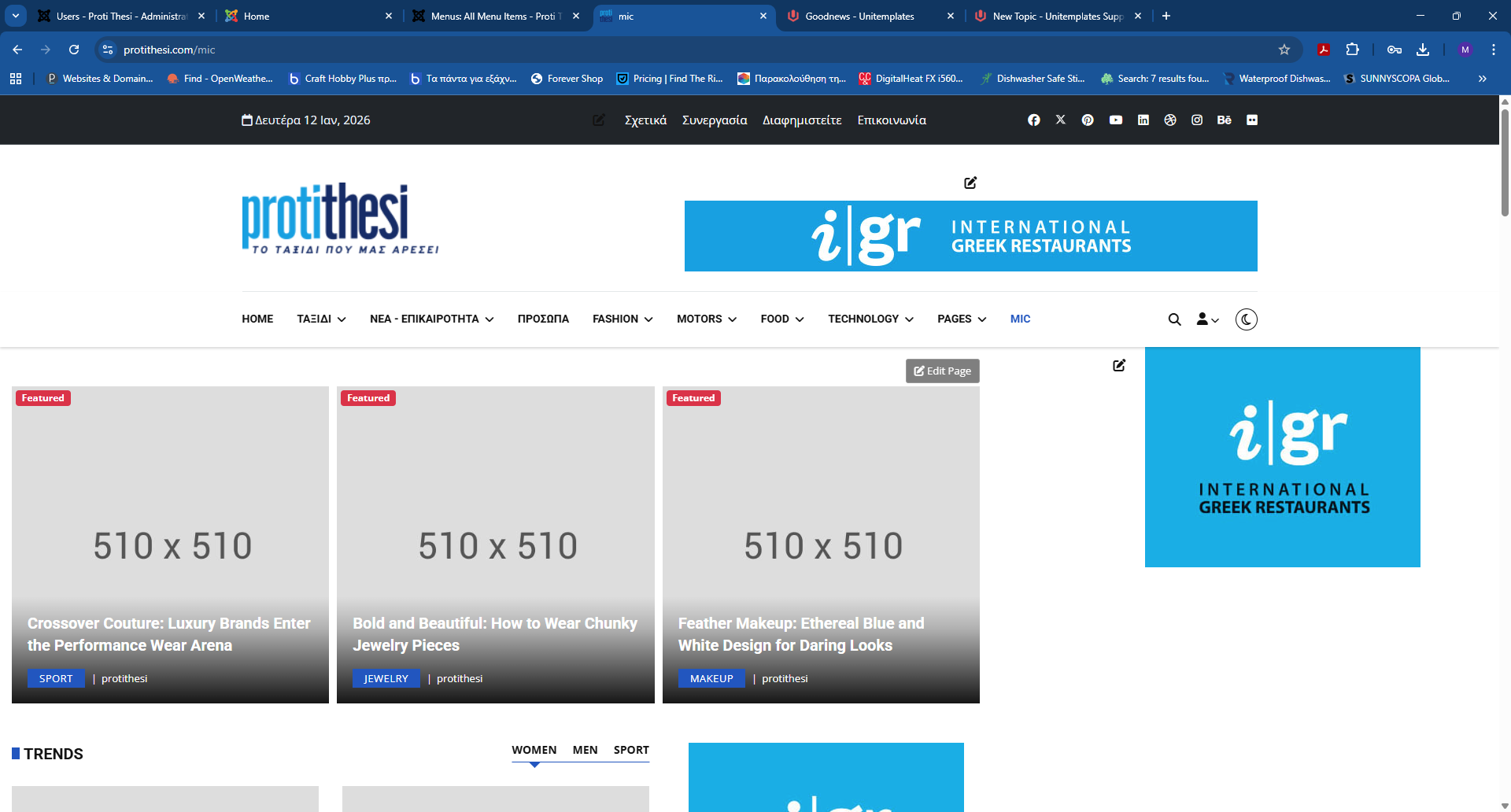
- I am trying to add a new menu item on the front page. When I create a new menu item and link it to an existing page builder page and template layout I get a page with damaged layout and missing modules. Kindly check the attached screenshots
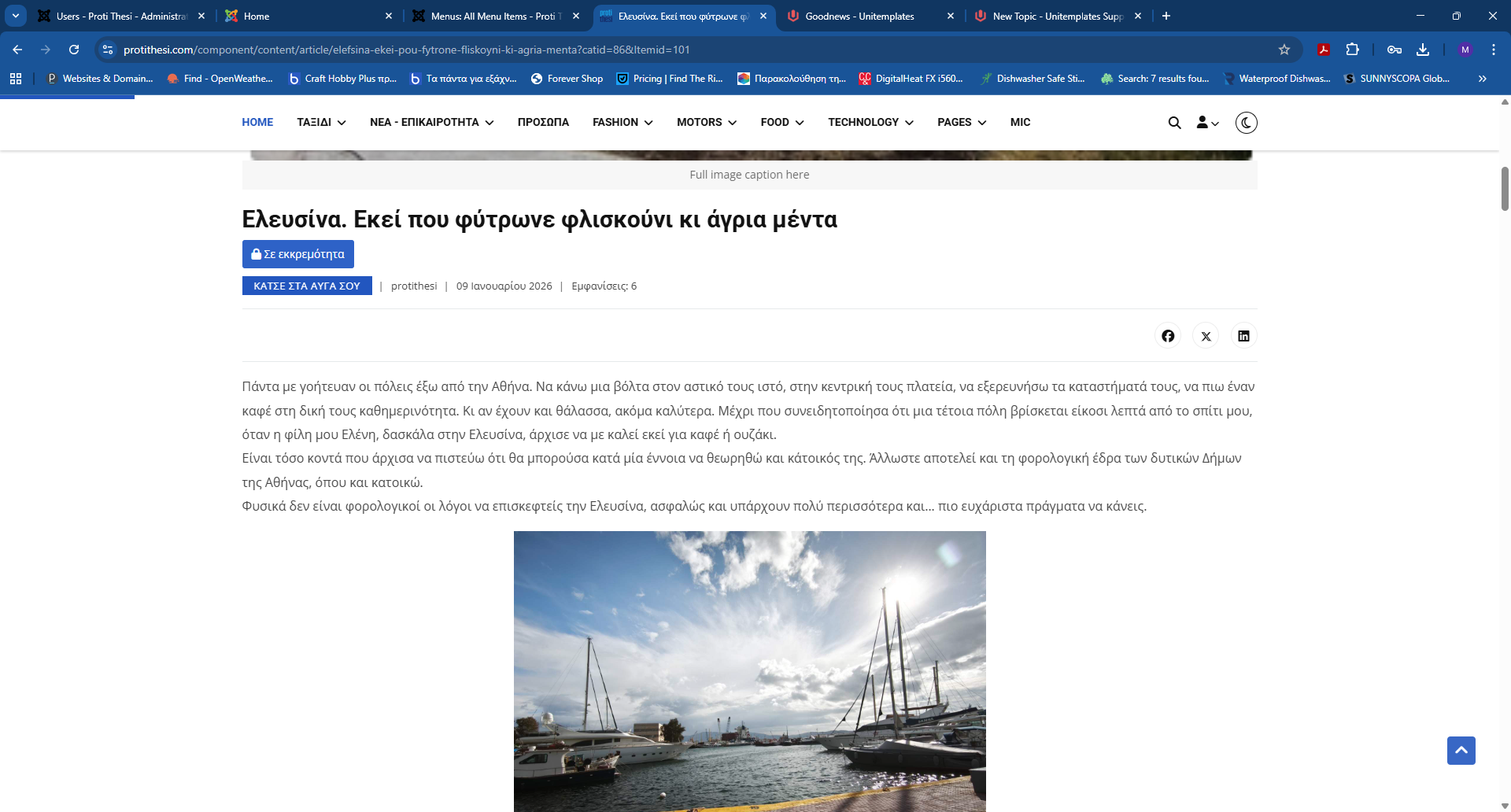
- Some of the new articles show "isolated" and do not seem to use the set layout. See screenshot.
Ideally I would like to have a simpler website using the original home page and the same "Fashion" / "Fashion-Trends" and "Fashion-Culture" style template for all the categories. I would also like to use the same menu from the home page on all menus and categories.
Thank you in advance for your support. Kindly direct me to th epoints that need xtra attantion in defining the desired options
Kind regards,
M
Although the template offers a lot of options and functionalities, it gets a bit complicated and overwhelming so I need your support with the following:
- I am trying to add a new menu item on the front page. When I create a new menu item and link it to an existing page builder page and template layout I get a page with damaged layout and missing modules. Kindly check the attached screenshots
- Some of the new articles show "isolated" and do not seem to use the set layout. See screenshot.
Ideally I would like to have a simpler website using the original home page and the same "Fashion" / "Fashion-Trends" and "Fashion-Culture" style template for all the categories. I would also like to use the same menu from the home page on all menus and categories.
Thank you in advance for your support. Kindly direct me to th epoints that need xtra attantion in defining the desired options
Kind regards,
M
Attachments:
Please Log in or Create an account to join the conversation.
- L
- leoalv Moderator
- 9 months 4 days ago #2
Hello.
If some modules disappear, it's because they're assigned to specific menu items. You'll need to edit those modules and select your new menu item.
If the article details page looks different, it's because the category containing the article doesn't have a menu item, so it's displaying the default. To fix this, you need to create a menu item of type Articles >> Ublog.
Regards
If some modules disappear, it's because they're assigned to specific menu items. You'll need to edit those modules and select your new menu item.
If the article details page looks different, it's because the category containing the article doesn't have a menu item, so it's displaying the default. To fix this, you need to create a menu item of type Articles >> Ublog.
Regards
The following user(s) said Thank You: QliQ
Please Log in or Create an account to join the conversation.
- Q
- QliQ New Member
- Topic Author 9 months 3 days ago #3
Thank you .. I have figured it out!
Thank you
Thank you
Please Log in or Create an account to join the conversation.
Secure Payment
Use your cards with Paypal.