
Forum
Important - Hands Up!
- Please ask using the account with which you made the purchase or download of our products and in its respective category.
* ADD PRODUCT NAME IN START OF SUBJET
Off-Canvas Menu in LawStudio template
- D
- dabri New Member
- Topic Author 1 month 2 weeks ago #1
Hi,
I purchased LawStudio via TemplateMonster. The template looks great and works perfectly so far.
However, there is one thing that isn't working quite as it should.
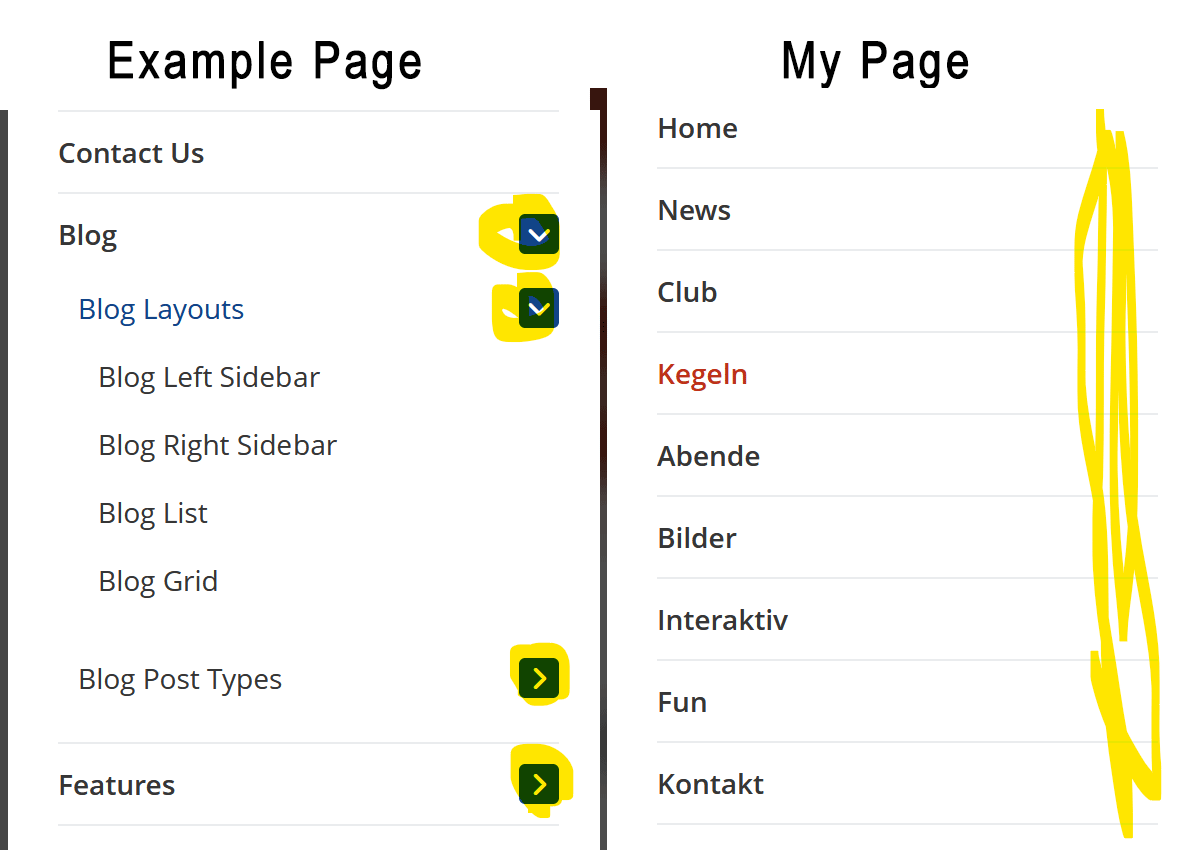
When I open the homepage on my mobile phone and access the off-canvas menu, the small toggle icons used to expand the submenus unfortunately don't appear.
The attached image shows my site on the right; pretty much every menu item has subcategories, but there is no way to expand the menu.
Any idea what might be causing this? I’d appreciate your help.
Many thanks and best regards, Daniel
I purchased LawStudio via TemplateMonster. The template looks great and works perfectly so far.
However, there is one thing that isn't working quite as it should.
When I open the homepage on my mobile phone and access the off-canvas menu, the small toggle icons used to expand the submenus unfortunately don't appear.
The attached image shows my site on the right; pretty much every menu item has subcategories, but there is no way to expand the menu.
Any idea what might be causing this? I’d appreciate your help.
Many thanks and best regards, Daniel
Attachments:
Please Log in or Create an account to join the conversation.
- L
- leoalv Moderator
- 1 month 2 weeks ago #2
Hello.
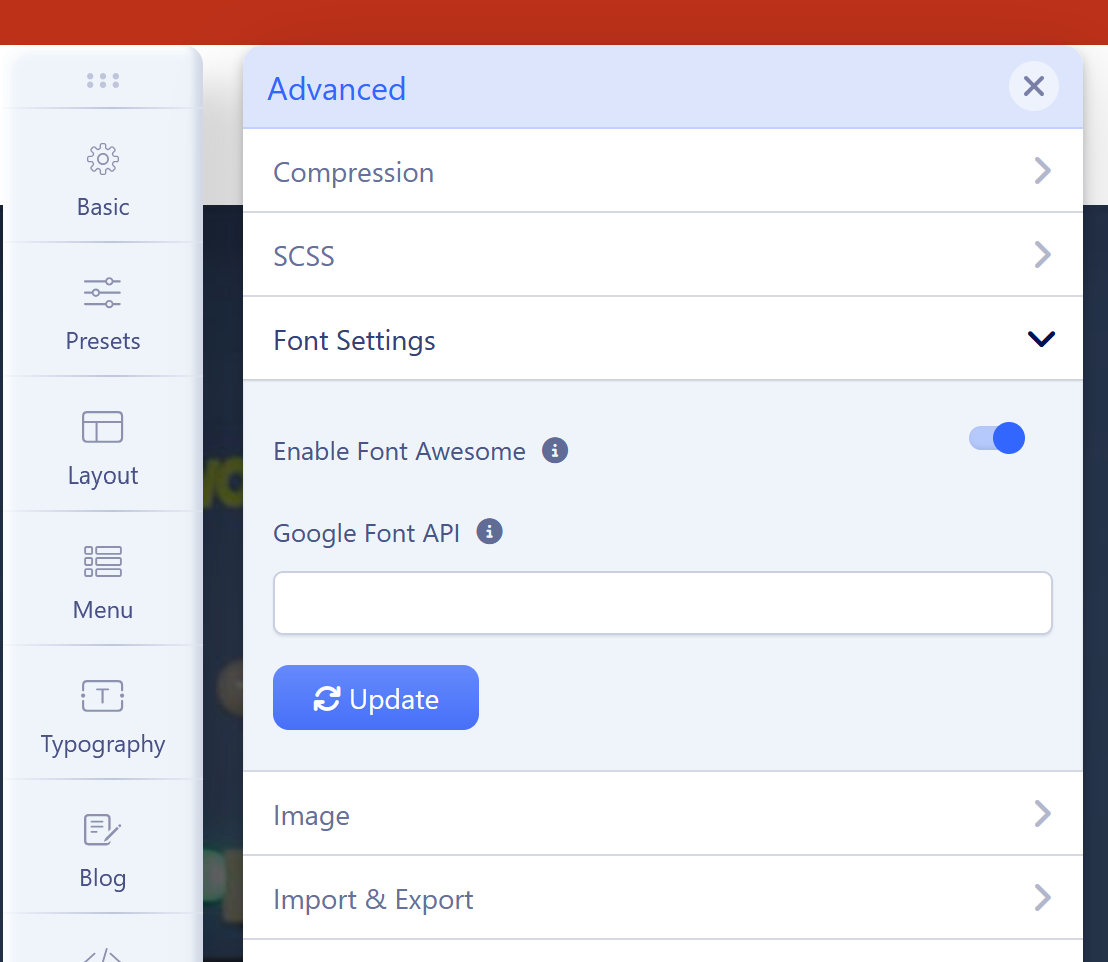
If you've updated the template, try clearing your browser cache. If that doesn't fix the problem, you may have Font Awesome disabled. You can check this in System >> Site Templates Styles >> ut_lawstudio - ALL STYLES THAT YOU ARE USING >> Template Options (green button) >> Advanced >> Font Settings >> Enable Font Awesome.
Regards
If you've updated the template, try clearing your browser cache. If that doesn't fix the problem, you may have Font Awesome disabled. You can check this in System >> Site Templates Styles >> ut_lawstudio - ALL STYLES THAT YOU ARE USING >> Template Options (green button) >> Advanced >> Font Settings >> Enable Font Awesome.
Regards
Please Log in or Create an account to join the conversation.
- D
- dabri New Member
- Topic Author 1 month 2 weeks ago #3
Hello,
Thanks for the quick reply.
I have already cleared the browser cache and Joomla cache several times, and I’ve tested the site in different browsers.
Font Awesome is enabled in the template settings, but the problem persists.
I tried disabling all third-party plugins, components, and modules in the Joomla installation and clearing the cache, but that didn't help either. Unfortunately, I have no idea what might be causing the issue.
Best regards, Daniel
Thanks for the quick reply.
I have already cleared the browser cache and Joomla cache several times, and I’ve tested the site in different browsers.
Font Awesome is enabled in the template settings, but the problem persists.
I tried disabling all third-party plugins, components, and modules in the Joomla installation and clearing the cache, but that didn't help either. Unfortunately, I have no idea what might be causing the issue.
Best regards, Daniel
Please Log in or Create an account to join the conversation.
- L
- leoalv Moderator
- 1 month 2 weeks ago #4
For now, please share your site link as confidential information. We'll review it from the public side, and if we need access later, we'll request it.
BEFORE: I assume Font Awesome is enabled in all template styles, right? Because template styles function independently.
Regards
BEFORE: I assume Font Awesome is enabled in all template styles, right? Because template styles function independently.
Regards
Please Log in or Create an account to join the conversation.
- D
- dabri New Member
- Topic Author 1 month 2 weeks ago #5
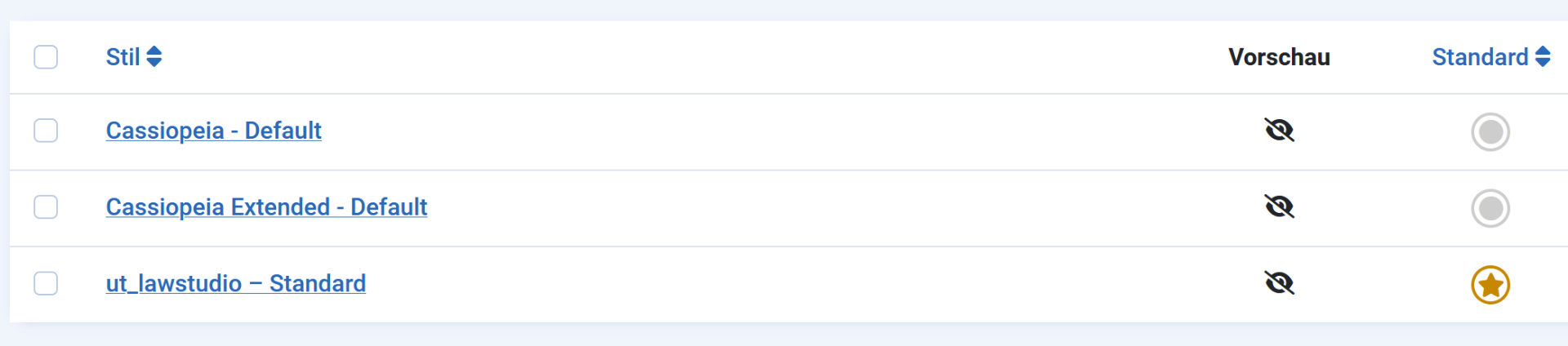
Yes, I only use one template style.
This message contains confidential information
Attachments:
Please Log in or Create an account to join the conversation.
- L
- leoalv Moderator
- 1 month 2 weeks ago #6
I've reviewed your site, and it appears that the mobile menu (off-canvas) is a menu module. Its End Level might be set to 1, which is why the submenus aren't loading. Since they don't exist, there are no toggles, and therefore no icons, because there's nothing to expand.
The solution: You can edit the menu module published in off-canvas and increase its End Level to All. Alternatively, you can deactivate that module and, in your template style, go to Menu >> Off-Canvas and select the same menu as for desktop. Also, make sure its Maximum Level is set to All.
Regards
The solution: You can edit the menu module published in off-canvas and increase its End Level to All. Alternatively, you can deactivate that module and, in your template style, go to Menu >> Off-Canvas and select the same menu as for desktop. Also, make sure its Maximum Level is set to All.
Regards
The following user(s) said Thank You: dabri
Please Log in or Create an account to join the conversation.
Secure Payment
Use your cards with Paypal.